![A12 Nothing Tool Bypass Hello [ XR XS XsMax 3rd 5th 8th ] No refund wrong order](/media/712/file/display)
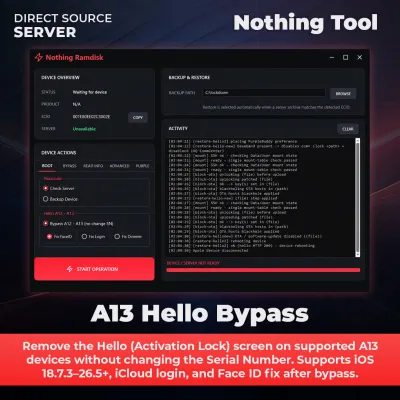
Remove the Hello (Activation Lock) screen on supported A12 devices without changing the Serial Number. Supports iOS 18.7.3–26.5+, iCloud login, and Face ID f…
A12 Nothing Tool Bypass Hello [ XR XS XsMax 3rd 5th 8th ] No refund wrong order
Nothing Tool$6.00
Remove the Hello (Activation Lock) screen on supported A12 devices without changing the Serial Number. Supports iOS 18.7.3–26.5+, iCloud login, and Face ID fix after bypass.
Taxes and service fees are calculated at checkout.
🔓 A12 Hello Screen Bypass – No SN Change | Nothing Tool
A12 Hello Screen Bypass is a professional solution for removing the Hello or Activation Lock screen on supported A12 Apple devices using the latest Nothing Tool.
This new-generation method works without changing the device Serial Number (SN) and supports compatible devices running iOS 18.7.3–26.5+.
After successful processing, users can sign in with their own Apple ID. Face ID can also be restored on eligible devices by completing the final Ramdisk Fix procedure.
✨ Main Features
- ✅ Hello / Activation Lock Bypass
- ✅ No Serial Number (SN) Change Required
- ✅ Supports iOS 18.7.3–26.5+
- ✅ Login With Your Own Apple ID
- ✅ iCloud Login Supported
- ✅ App Store Supported
- ✅ Face ID Fix Supported on Eligible Devices
- ✅ Camera Supported
- ✅ Wi-Fi Supported
- ✅ Latest RP2350 Boot Method
- ✅ Boot Ramdisk Supported
- ✅ Fast and Stable Processing
- ✅ Professional Server-Based Workflow
📱 Supported Devices
- ✔️ iPhone XR
- ✔️ iPhone XS
- ✔️ iPhone XS Max
- ✔️ iPhone SE (2nd Generation)
- ✔️ iPad Air (3rd Generation)
- ✔️ iPad mini (5th Generation)
- ✔️ iPad (8th Generation)
📲 Supported Software Versions
- ✔️ Supports compatible devices running iOS 18.7.3–26.5+
- ✔️ Compatibility depends on the latest Nothing Tool release.
- ✔️ Exact support may vary by device model, iOS version, and device condition.
⚙️ Processing Workflow
- PwnDFU the supported device using RP2350.
- Boot the required Ramdisk.
- Mount the device filesystem.
- Run the supported Hello Bypass operation.
- Sign in using your own Apple ID or iCloud account.
- Boot the Ramdisk again after login.
- Mount the filesystem again.
- Apply the final Face ID Fix on eligible devices.
Important: Follow the latest instructions shown inside Nothing Tool. Keep the device connected and do not interrupt the process while the service is running.
🚀 Latest Nothing Tool Version
- 🔥 Version: 1.0.6 Beta 2
- 🌍 Main Worldwide Distributor: UnlockBank
- ⚡ Compatible with the latest supported Nothing Tool services.
🆕 Version 1.0.6 Beta 2 Changelog
- ✅ Fixed the Dimmer bug affecting some devices.
- ✅ Fixed driver-related issues.
- ✅ Fixed Boot Ramdisk functionality.
📋 Requirements
- ✔️ Supported A12 Apple Device
- ✔️ Device Must Be on the Hello / Activation Lock Screen
- ✔️ Device Must Be Supported by Nothing Tool
- ✔️ RP2350 Hardware
- ✔️ Windows PC or Laptop
- ✔️ Stable Internet Connection
- ✔️ Original or High-Quality USB Data Cable
- ✔️ Required Drivers Installed
- ✔️ Follow the Latest Nothing Tool Instructions
🎯 Suitable For
- ✔️ GSM Repair Shops
- ✔️ Professional Apple Technicians
- ✔️ Mobile Service Centers
- ✔️ Apple Device Recovery Specialists
- ✔️ Professional Servicing Businesses
🔒 Important Notes
- ⚠️ This service is for compatible Hello / Activation Lock devices only.
- ⚠️ Passcode-Locked or Disabled devices require a different service.
- ⚠️ Unsupported models cannot be processed.
- ⚠️ Verify the exact device model, iOS version, and condition before ordering.
- ⚠️ Device information submitted with the order must be correct.
- ⚠️ Face ID restoration requires completing the final Ramdisk Fix procedure.
- ⚠️ Face ID functionality depends on the original hardware condition.
- ⚠️ Available functions may vary according to the model and iOS version.
- ⚠️ Use this service only on devices you own or are legally authorized to service.
- ⚠️ Wrong Service Order = No Refund.
- ⚠️ Unsupported Device = No Refund.
- ⚠️ No refund is available after successful processing.